Financial Reports
Introduction
Section titled “Introduction”The Financial Reports screen turns the facility’s posted journal entries into the core financial statements. Reports are always computed live from the ledger — there is nothing to “run” or “close” first — and they only include posted entries. Drafts and voided entries never appear in any report (see Journal Entries for the draft/posted distinction).
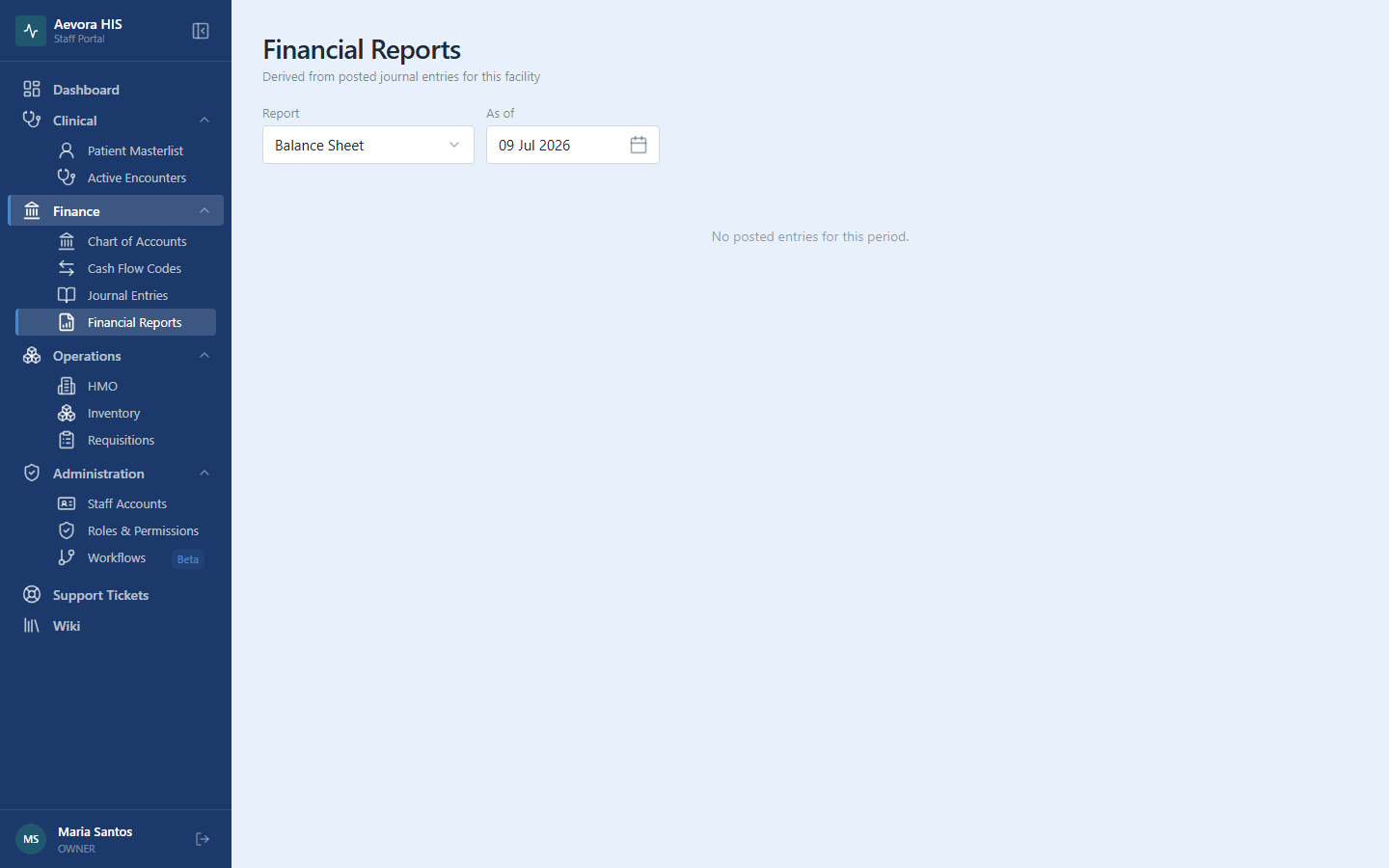
Access requires the reports → view permission. Go to Finance → Financial Reports and pick a report from the dropdown.
Key Concepts
Section titled “Key Concepts”The Four Statements at a Glance
Section titled “The Four Statements at a Glance”| Report | Question it answers | Period control |
|---|---|---|
| Balance Sheet | What does the facility own and owe right now? | A single “as of” date |
| Income Statement | Did we make or lose money over a period? | From / To dates |
| Cash Flow Statement | Where did cash actually come from and go? | Month + Year |
| Trial Balance | Do total debits equal total credits? | From / To dates |
Cash Flow Statement Prerequisites
Section titled “Cash Flow Statement Prerequisites”Unlike the other three reports, the Cash Flow Statement needs one-time setup before it will reconcile — every account that drives cash movement needs a cash flow code, and every cash account needs the Cash account flag in Chart of Accounts. See Generating the Cash Flow Statement below for the full setup.
Use Cases
Section titled “Use Cases”Reading the Balance Sheet
Section titled “Reading the Balance Sheet”Shows Assets, Liabilities, and Equity account balances accumulated from the beginning of the ledger through the chosen date — cash and bank balances, PhilHealth and HMO claim receivables, medicine and supply inventory, and medical equipment on the asset side; supplier payables and loans on the liability side.
A synthetic Net Income line is added to the Equity section — it is the facility’s revenue minus expenses to date, folded in so that the accounting equation holds:
Assets = Liabilities + Equity
The badge at the bottom compares both sides. Balanced is the expected state; Out of balance indicates a data problem that should be raised with your administrator, since the system prevents posting unbalanced entries.
Reading the Income Statement
Section titled “Reading the Income Statement”Shows Revenue and Expense account totals for the chosen date range, and the resulting Net Income (revenue − expenses). Revenue is what the facility earns — consultation and ward fees, pharmacy sales, laboratory and imaging charges, PhilHealth and HMO reimbursements; expenses are what it spends — salaries, medicines and supplies, utilities, maintenance. Use month-start to month-end dates for a monthly P&L, or year-start to today for a year-to-date view.
Generating the Cash Flow Statement
Section titled “Generating the Cash Flow Statement”The cash flow statement explains the change in the facility’s cash during a month. Net income alone does not tell you this — a facility can be profitable on paper while its cash sits in unpaid PhilHealth and HMO claims or on pharmacy shelves. The statement uses the indirect method: it starts from the month’s Net Income and adjusts it for the non-cash movements recorded on your accounts.
One-time setup:
- Create your cash flow codes under Finance → Cash Flow Codes — typically
OPAOperating Activities,INVInvesting Activities, andFINFinancing Activities. - In Finance → Chart of Accounts, edit each account that drives cash movement (PhilHealth and HMO claim receivables, supplier payables, medicine and supply inventory, medical equipment, loans, depreciation, …) and assign the appropriate cash flow code.
- Flag every account that is cash — Cash on Hand, Petty Cash, bank accounts — using the Cash account switch.
How it’s computed, for the chosen month:
- Net Income — revenue minus expenses for the month, same as the Income Statement.
- One section per cash flow code — each account assigned to that code appears with its cash effect for the month:
| When this moves up during the month… | …the effect on cash is |
|---|---|
| An Asset (e.g., PhilHealth Claims Receivable, Medical Supplies Inventory) | Negative — cash was tied up |
| A Liability (e.g., Accounts Payable to suppliers) | Positive — cash was preserved |
| An Expense with no cash outlay (e.g., Depreciation of medical equipment) | Positive — added back to Net Income |
| Revenue not yet collected in cash (e.g., PhilHealth claims filed but not yet paid) | Negative — backed out of Net Income |
Decreases have the opposite effect. Accounts with no activity in the month are omitted.
- Net Cash for Period — Net Income plus all section subtotals.
The summary box:
| Line | Meaning |
|---|---|
| Beginning Cash | Balance of all cash-flagged accounts at the end of the prior month |
| Net Cash for Period | The statement’s computed cash movement |
| Ending Cash | Beginning Cash + Net Cash for Period |
| Ledger Cash at Month End | What the cash-flagged accounts actually hold in the ledger |
The badge compares the last two lines. Reconciled means the statement fully explains the month’s cash movement. Off by … shows the unexplained difference.
Running the Trial Balance
Section titled “Running the Trial Balance”Lists every account’s total debits and total credits from posted entries in the chosen date range, grouped by account type (Assets, Liabilities, Equity, Revenue, Expenses) with a subtotal per group. Accounts with no activity in the range are omitted.
The summary at the bottom shows Total Debits, Total Credits, and their Difference. Because the system only lets balanced entries be posted, the difference should always be zero — the Balanced badge. Out of balance indicates a data problem that should be raised with your administrator.
Run it at month-end before reading the other statements — it is the quickest way to confirm the books balance and to spot unusual activity on an account. While the report is open it refreshes automatically every 30 seconds, so entries posted by colleagues appear on their own.
Reference
Section titled “Reference”Troubleshooting an Unreconciled Cash Flow Statement
Section titled “Troubleshooting an Unreconciled Cash Flow Statement”An unreconciled statement almost always means a classification gap, not a calculation error. Check, in order:
- An account with activity has no cash flow code. Any receivable, payable, inventory, or equipment account that moved during the month must carry a code — its movement is otherwise invisible to the statement.
- A cash account is not flagged. A bank or petty-cash account without the Cash account flag is excluded from Beginning/Ending Cash, and its movements are counted as adjustments instead of cash.
Fix the account setup in the Chart of Accounts and re-select the month — the statement recomputes immediately.
Permissions
Section titled “Permissions”Viewing financial reports requires the reports → view permission — there is no create, edit, or delete action since reports are computed, not stored.