System Overview
Introduction
Section titled “Introduction”Aevora is a Healthcare Information System (HIS) purpose-built for Philippine healthcare facilities — from rural health units and barangay health centers to private clinics and small hospitals. It consolidates clinical, financial, operational, and administrative workflows into a single, integrated platform, accessed from any workstation on the facility’s network through a web browser.
Aevora is developed by GRAM Business Consultancy and is authored by Ronilo Penero Jr. It is designed specifically for the Philippine healthcare context: PhilHealth benefit schedules, PhilSys national ID integration, RA 10173 (Data Privacy Act) compliance, and local regulatory reporting requirements are all first-class concerns, not afterthoughts.
Key Concepts
Section titled “Key Concepts”The Modules
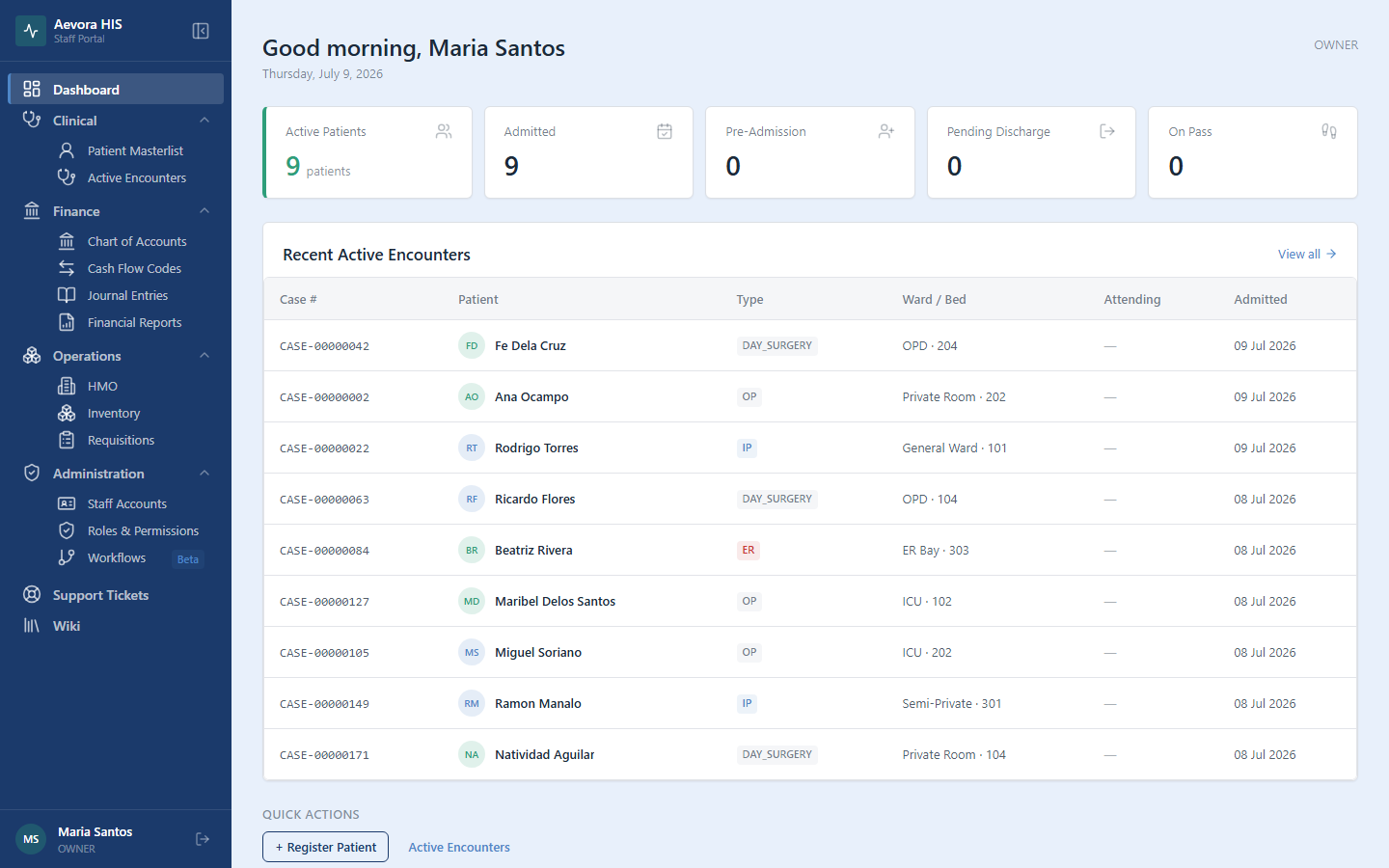
Section titled “The Modules”Aevora is organized into functional modules. Each module maps directly to a section of this Help Center and to a group in the app’s sidebar — which groups you can see depends on your assigned role.
| Module | Who uses it | What it does |
|---|---|---|
| Clinical | Nurses, Physicians | Patient registration, masterlist management, encounter tracking, vitals, and clinical notes |
| Finance | Cashiers, Accountants | Chart of accounts, journal entries, cash flow, financial reports |
| Operations | Admin staff, Pharmacists | HMO accreditation management, supply and medication inventory, item requisitions |
| Support | All staff | Getting help from Aevora Support when something isn’t working |
| Administration | System admins | Staff user accounts, role definitions, permission assignments, clearance workflows |
Philippine Regulatory Context
Section titled “Philippine Regulatory Context”Aevora is built for compliance with the following Philippine frameworks:
PhilHealth — The system supports PhilHealth benefit package identification, LOA (Letter of Authorization) recording, and claim preparation. Member eligibility is checked against the patient’s PhilHealth ID on record.
PhilSys (Philippine Identification System) — Patients can be registered and searched by their PhilSys Reference Number (PSN). The system stores and displays PSNs in JetBrains Mono for readability, as required for audit displays.
RA 10173 — Data Privacy Act of 2012 — All personally identifiable information is stored with the minimum necessary fields. Access to patient records is logged. Export of patient data requires an authorized role. Staff accounts that are deactivated retain their audit history but lose all access.
Date and Time Formatting — All dates are displayed in DD MMM YYYY format (e.g., 01 Jul 2026). Times use 24-hour notation (e.g., 14:30). Currency is displayed in PHP with two decimal places (e.g., PHP 1,250.00).
Reference
Section titled “Reference”Where to Go Next
Section titled “Where to Go Next”If you’re setting up your account for the first time, start with Logging In. Once signed in, the Dashboard is your home screen.
From there, jump directly to the task you need:
Getting Help
Section titled “Getting Help”If something in this Help Center is unclear or out of date, contact your system administrator, or submit a support ticket to reach the Aevora support team directly at support@aevorasystem.com.